Skip to content

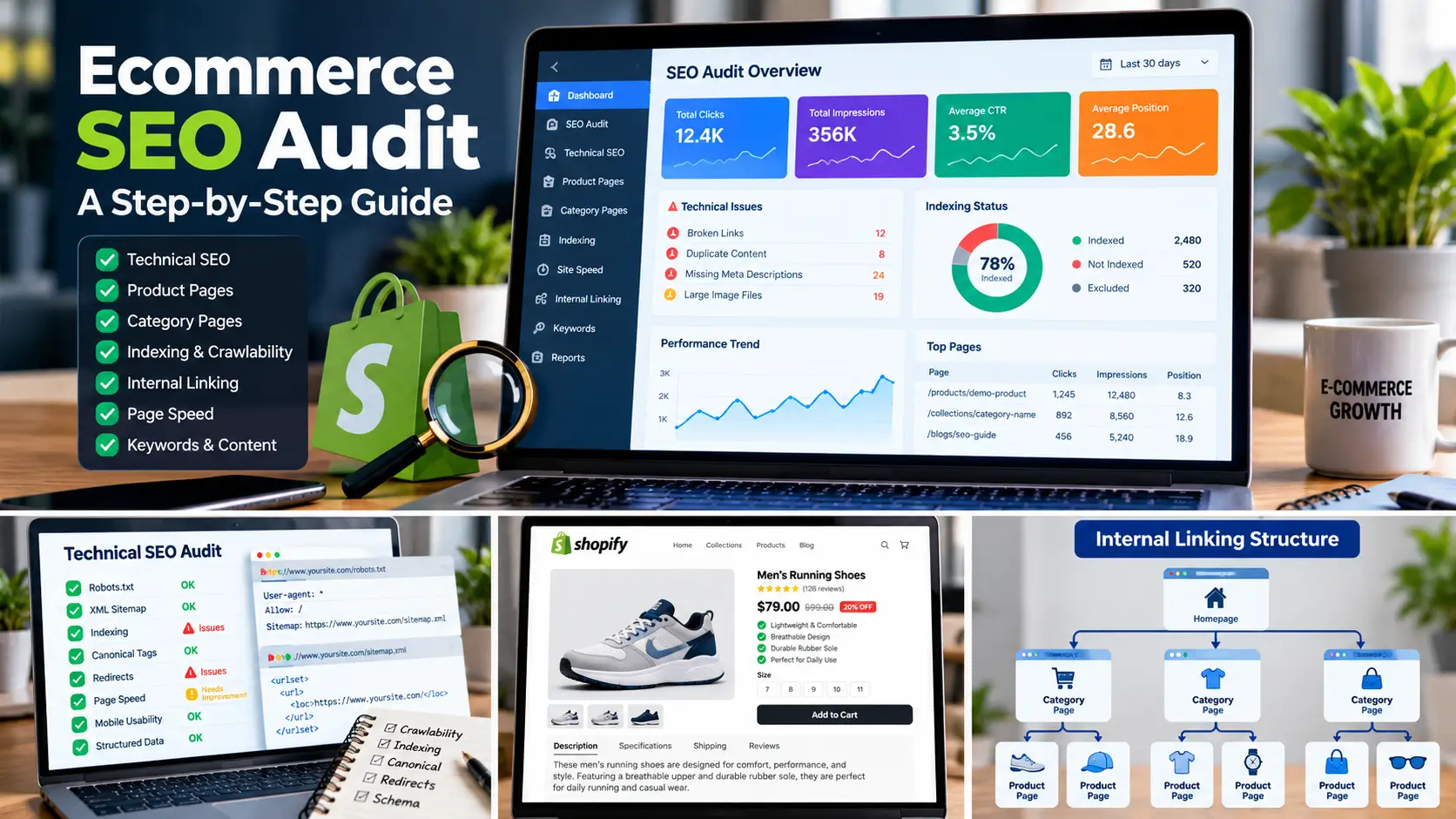
Running a Shopify store is about more than adding products and launching a beautiful website. Your potential customers need to find your products when they search on Google.
Without a clear SEO strategy, even a well-designed online store can struggle to attract organic traffic. Product pages may remain undiscovered, category pages may target the wrong keywords, and technical issues can prevent search engines from understanding your website.
The good news is that you can improve your store’s search visibility by following a structured Shopify SEO checklist.
In this guide, you’ll learn how to optimize your Shopify store, improve product and collection pages, identify technical SEO issues, and build a stronger foundation for long-term organic growth.
1. Set Up Google Search Console and Analytics
Start by connecting your Shopify store to Google Search Console.
Google Search Console helps you understand which search queries generate impressions and clicks, which pages appear in Google, and whether Google encounters indexing problems.
Use it to:
- Monitor organic search clicks and impressions.
- Identify pages that are not indexed.
- Review search queries and average positions.
- Submit your XML sitemap.
- Investigate indexing and crawling issues.
You can also use Google Analytics to understand visitor behavior, traffic sources, and conversions.
Action tip: Review your Search Console performance report regularly. Look for pages with many impressions but relatively few clicks, and investigate whether their titles and descriptions accurately match search intent.

2. Conduct Shopify Keyword Research
Keyword research helps you understand what potential customers search for before purchasing a product.
Instead of targeting broad keywords alone, identify relevant search terms for your products, collections, and informational content.
For example, a store selling reusable water bottles might target:
- Reusable water bottles
- Stainless steel water bottle
- Insulated water bottle for travel
- How to clean a reusable water bottle
Organize keywords according to search intent:
- Transactional: Searchers are ready to buy.
- Commercial investigation: Searchers are comparing products or brands.
- Informational: Searchers want answers or guidance.
Assign a primary keyword to each important page and use closely related terms naturally. Avoid creating multiple pages that compete for the same search intent.

3. Optimize Shopify Product Pages
Product pages are among the most important pages on an ecommerce website because they help customers evaluate and purchase products.
For each important product page:
- Write a unique, descriptive SEO title.
- Create a useful meta description.
- Use a clear product heading.
- Write original product descriptions.
- Include relevant product specifications and benefits.
- Optimize image file sizes and descriptive alt text.
- Add relevant internal links where helpful.
- Make pricing, availability, and shipping information easy to understand.
Avoid copying manufacturers’ descriptions without adding useful information. Explain what makes the product valuable, who it is for, and which questions a customer should consider before purchasing.
Your content should help shoppers make informed decisions rather than simply repeat keywords.

4. Optimize Shopify Collection Pages
Collection pages organize products into meaningful categories and can target valuable commercial search terms.
For effective collection page SEO:
- Choose a descriptive collection name.
- Use a clear, relevant heading.
- Add a concise introduction when it helps shoppers.
- Optimize the title tag and meta description.
- Link to relevant collections and products.
- Ensure products are easy to browse.
- Avoid unnecessary duplicate collection content.
For example, a store selling outdoor equipment could have separate collections for hiking backpacks, camping tents, and sleeping bags.
Each collection should serve a distinct customer need and search intent.
5. Improve Shopify Technical SEO
Technical SEO helps search engines crawl, render, and understand your store.
Review the following areas:
Crawlability and indexing: Check whether important products, collections, and pages can be discovered and indexed.
XML sitemap: Confirm that your sitemap is accessible and submitted through Google Search Console.
Robots directives: Check that important pages are not accidentally blocked from crawling or indexing.
Canonical URLs: Review duplicate URL variations and confirm that canonical tags point to the intended preferred URLs.
Redirects: When changing or removing URLs, implement appropriate redirects to relevant replacement pages where necessary.
Broken links: Identify broken internal links and fix them or redirect outdated URLs when appropriate.
Mobile usability: Make sure product pages, navigation, forms, and buttons work properly on mobile devices.
Do not change technical settings blindly. First identify the issue, determine which URLs are affected, and test the correction.

6. Improve Shopify Website Speed
A fast, responsive store provides a better experience for shoppers and supports overall website quality.
Review your store using Google PageSpeed Insights and test important templates, including the homepage, collection pages, and product pages.
Consider these improvements:
- Compress and appropriately size product images.
- Use modern image formats such as WebP where suitable.
- Remove unnecessary apps and scripts.
- Avoid excessive animation and heavy page elements.
- Review third-party tracking tools.
- Use a responsive theme with efficient layouts.
Measure performance before and after making changes. Avoid removing features that customers need without testing the effect on usability and conversions.

7. Optimize Images for Search
Product images help customers understand what they are buying, and well-implemented images can also support search visibility.
For each important image:
- Use a descriptive file name where practical.
- Write meaningful alt text that describes the image.
- Compress images without noticeably reducing quality.
- Choose suitable dimensions for the displayed layout.
- Avoid adding keywords that do not describe the image.
For example, an image of a black leather travel backpack might use alt text such as “Black leather travel backpack with adjustable shoulder straps.”
Alt text should describe the image accurately rather than serve as a place to repeat keywords.
8. Build a Helpful Ecommerce Content Strategy
Blog content can help your store answer customer questions, attract informational search traffic, and support relevant product and collection pages.
Choose topics that relate directly to your products and audience.
For example:
- Buying guides
- Product comparisons
- Product care instructions
- Frequently asked questions
- Practical how-to guides
- Advice for choosing the right product
Link to relevant products or collections when doing so genuinely helps the reader. Avoid publishing large quantities of thin or repetitive content simply to target more keywords.
Every article should have a clear purpose and provide useful information that is not already covered adequately elsewhere on your website.
9. Improve Internal Linking
Internal links help customers navigate your store and help search engines discover related pages.
Review your website structure and link relevant pages together.
For example:
- Link a buying guide to the relevant collection.
- Link a collection page to its important products.
- Link related blog posts to one another.
- Link educational SEO articles to your relevant SEO service page.
Use descriptive anchor text that tells users what they can expect from the destination. Avoid forcing exact-match keywords into every link.
A clear navigation structure makes it easier for both users and search engines to understand how your content relates.
10. Review Structured Data
Structured data can help search engines understand information about products and other page elements.
Depending on your store and theme, review whether appropriate Product structured data is present and valid. Relevant information may include product names, prices, availability, and review data where supported.
Use Google’s Rich Results Test and relevant Search Console reports to identify errors.
Do not add fabricated reviews, ratings, prices, or availability information. Structured data must accurately reflect the content visible to users, and valid markup does not guarantee rich search results.
11. Monitor SEO Performance
SEO requires ongoing measurement and improvement.
Track performance through Google Search Console and analytics tools.
Focus on metrics such as:
- Organic clicks and impressions
- Search queries and average positions
- Organic landing-page traffic
- Product and collection page performance
- Qualified enquiries and purchases
- Conversion rate and revenue from organic sessions
Compare similar time periods and account for seasonal changes. Avoid judging an SEO strategy using rankings alone; qualified traffic and meaningful business outcomes matter too.
Use the data to identify which pages deserve further optimization and which changes have produced useful results.
Shopify SEO Checklist Summary
- Connect and verify Google Search Console.
- Review the sitemap and important indexed pages.
- Conduct keyword research.
- Optimize product titles and descriptions.
- Improve collection page content.
- Review canonical tags and redirects.
- Find and fix broken internal links.
- Improve image optimization and alt text.
- Test important pages on mobile devices.
- Review website performance.
- Add relevant internal links.
- Validate appropriate structured data.
- Publish helpful, relevant content.
- Monitor organic performance and conversions.
When Should You Consider a Shopify SEO Audit?
A professional audit can be useful if your store receives little organic traffic, important products are not indexed, search performance has declined, or you are unsure which SEO issues to address first.
An audit should identify actual problems, explain their potential impact, and prioritize practical next steps. The findings should be based on your website rather than assumptions or a generic checklist alone.
If you need help identifying technical issues and opportunities in your store, explore my Shopify SEO Services or Ecommerce SEO Services.
You can also request a Free Ecommerce SEO Audit to discuss potential improvements for your website.
Frequently Asked Questions
Is Shopify good for SEO?
Shopify provides many SEO-friendly foundations, including editable page titles and meta descriptions, canonical URLs, and sitemap generation. Results still depend on your site structure, content quality, competition, technical implementation, and ongoing optimization.
How often should I review Shopify SEO?
Review Search Console performance regularly and conduct deeper technical checks whenever you make major theme, app, URL, or site structure changes. The appropriate schedule depends on the size and complexity of your store.
Do all Shopify product pages need unique descriptions?
Unique, useful descriptions are generally preferable because they help customers distinguish products and provide more relevant information. Prioritize important products first and avoid generating repetitive text solely to increase word count.
Can SEO guarantee more sales?
No. SEO can improve opportunities to attract relevant organic traffic, but rankings and sales cannot be guaranteed. Results depend on demand, competition, pricing, product quality, website experience, and many other factors.
Final Thoughts
A successful Shopify SEO strategy combines keyword research, useful product and collection content, technical health, clear site architecture, and ongoing performance measurement.
Start with the pages and issues that matter most to your customers. Fix verified technical problems, improve content where it adds value, and use Search Console data to guide your next steps.
If you want support identifying opportunities for your store, explore my Shopify and ecommerce SEO services or request a free ecommerce SEO audit.